How do custom domains for Reply work?
Reply lets you send and receive emails using your own domain, such as help@yourcompany.com.
To connect a domain, go to Reply > Settings > Channels > Email inboxes and follow the steps to add the required DNS records.
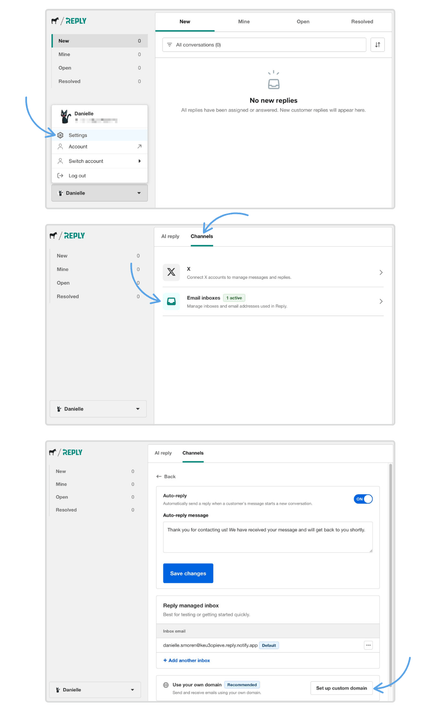
Once your domain is verified, you can use it to create email inboxes in Reply.
If you've already verified the domain in Notify, Reply will recognize it automatically and you won't need to verify it again.
DNS changes may take some time to propagate. If your domain remains pending, confirm that the required DNS records were added correctly.
Comments