Comment fonctionne l'envoi d'un article du Store en cadeau ?
Gift vous permet d'envoyer un article du Store à quelqu'un par e-mail ou SMS. Le destinataire n'a pas besoin d'un compte Sticker Mule.
Pour envoyer un cadeau :
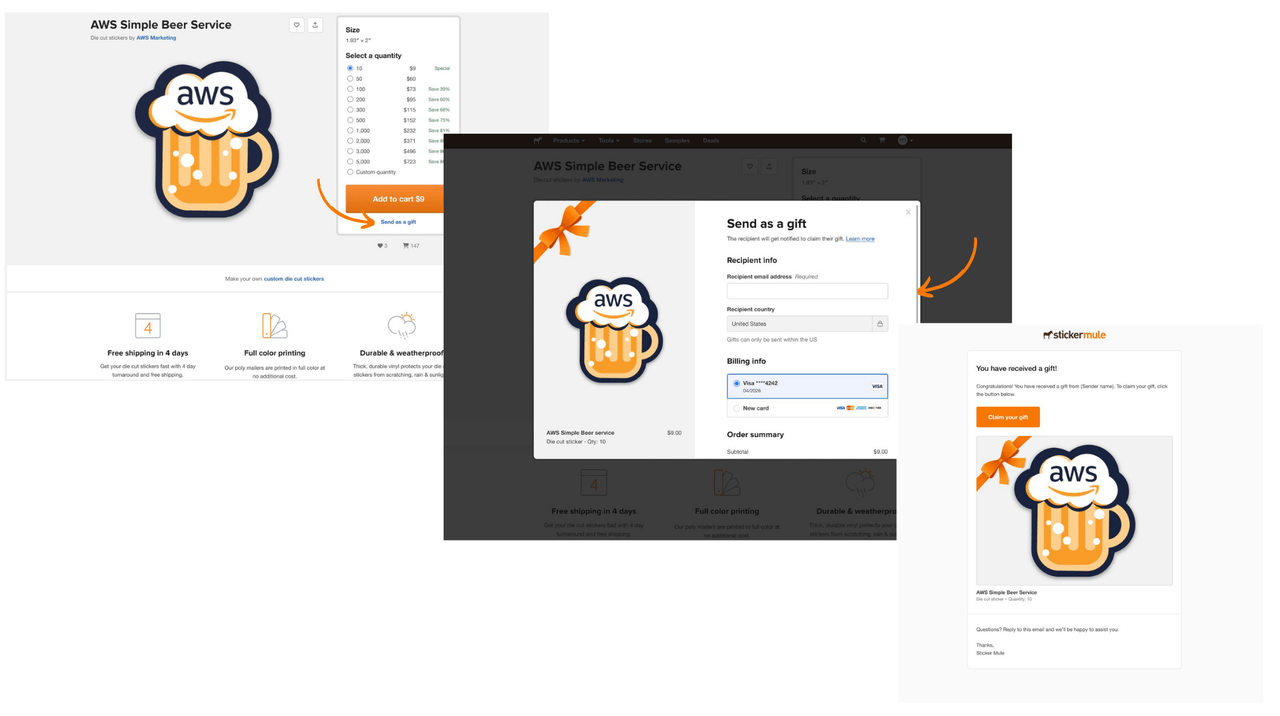
Sélectionnez Envoyer en cadeau depuis la page de l'article du Store.
Saisissez l'adresse e-mail du destinataire et finalisez le paiement.
Le destinataire recevra un e-mail l'invitant à récupérer son cadeau.
Vous pouvez annuler un cadeau depuis les détails de votre commande à tout moment avant qu'il ne soit réclamé. En cas d'annulation, vous recevrez un remboursement. Une fois le cadeau réclamé, il ne peut plus être annulé et sera préparé et expédié au destinataire.
Pour récupérer un cadeau :
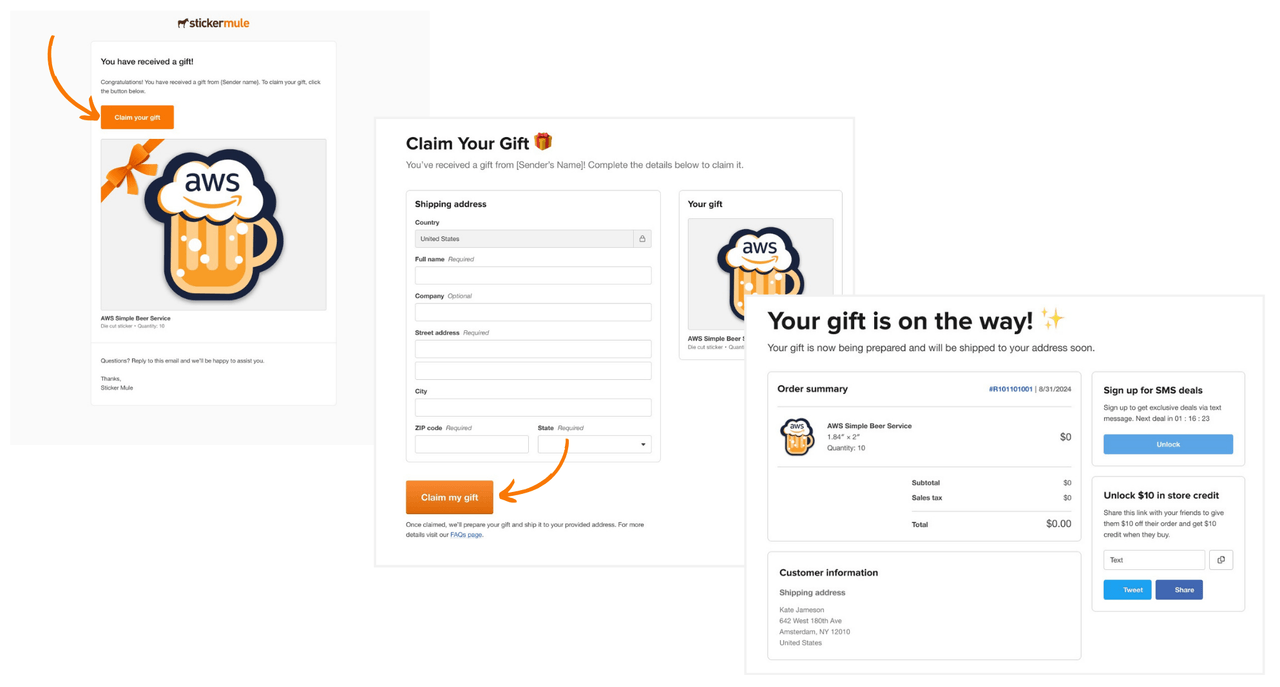
Sélectionnez Récupérer votre cadeau dans la notification par e-mail ou SMS.
Saisissez votre adresse de livraison. Pour les t-shirts, vous sélectionnerez également une taille.
Sélectionnez Récupérer mon cadeau. Nous commencerons à produire votre cadeau une fois qu'il aura été réclamé.
Commentaires