Notifyで購読者を追加または削除するにはどうすればよいですか?
Notifyの購読者タブから、またはメールキャンペーンの作成中に購読者を追加できます。
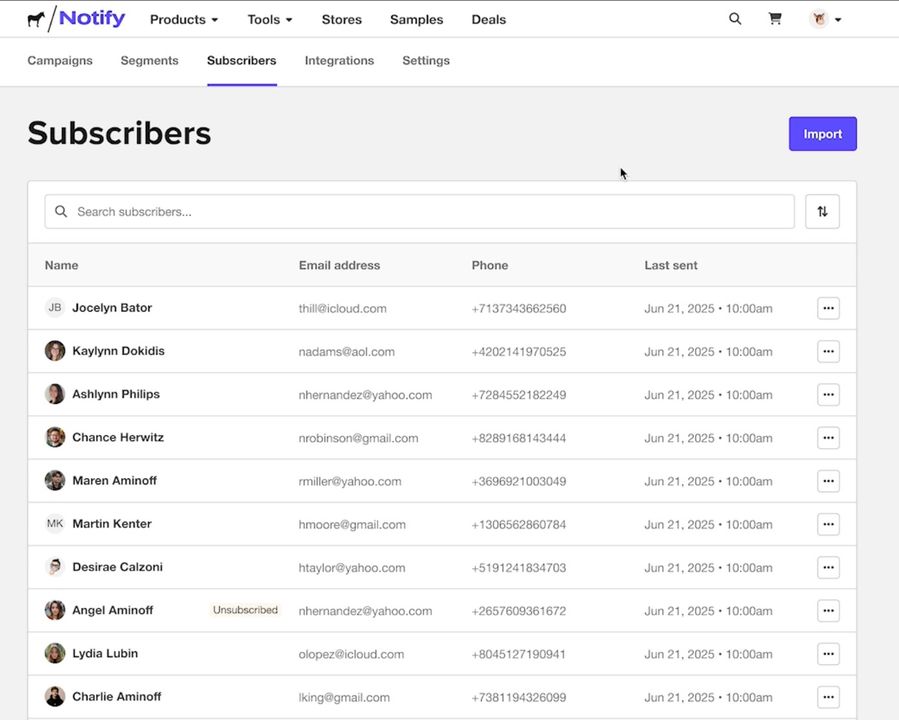
複数の購読者を追加するには、購読者リストを含むCSVファイルをアップロードします。

セグメントから購読者を削除する
セグメントで、購読者の横にある三点メニューを選択し、削除を選択します。

これにより、そのセグメントからのみ購読者が削除されます。購読者は購読者リストに残るため、他のセグメントに追加できます。
Notifyの購読者タブから、またはメールキャンペーンの作成中に購読者を追加できます。
複数の購読者を追加するには、購読者リストを含むCSVファイルをアップロードします。
セグメントで、購読者の横にある三点メニューを選択し、削除を選択します。
これにより、そのセグメントからのみ購読者が削除されます。購読者は購読者リストに残るため、他のセグメントに追加できます。
コメント