स्टोर आइटम को गिफ्ट करना कैसे काम करता है?
गिफ्ट आपको ईमेल या SMS द्वारा किसी को स्टोर आइटम भेजने देता है। प्राप्तकर्ता को Sticker Mule खाते की आवश्यकता नहीं है।
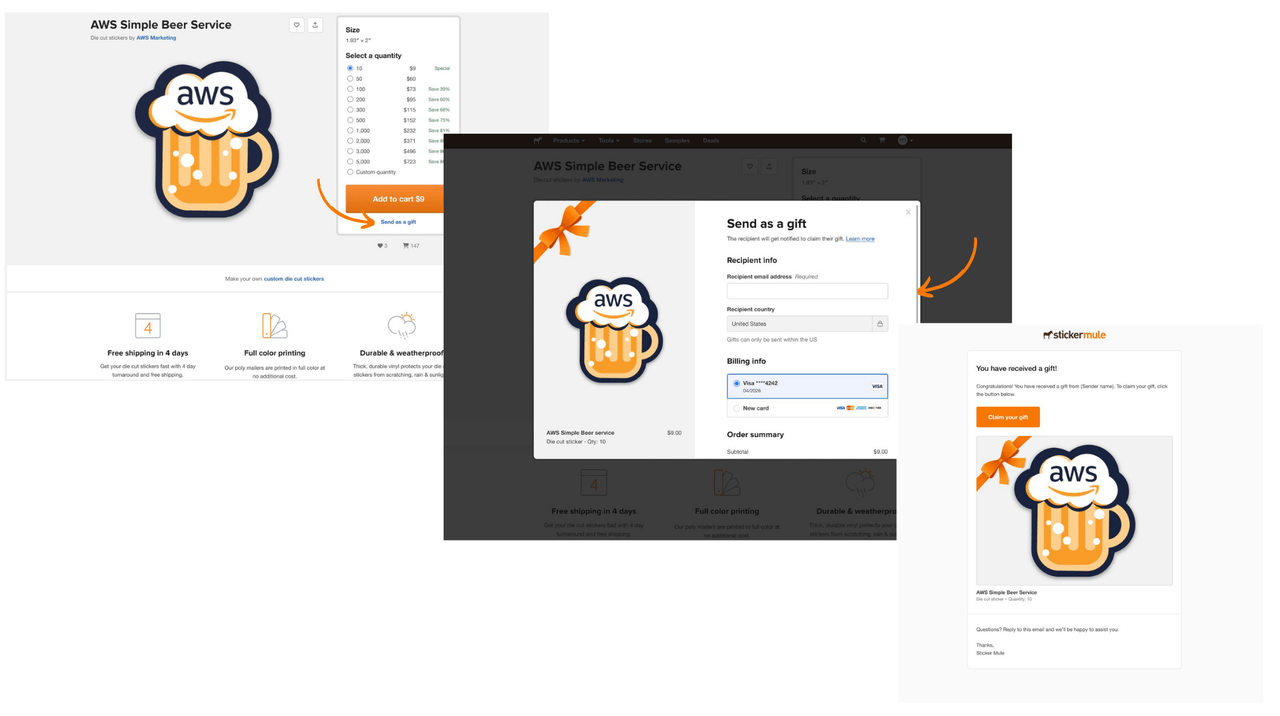
गिफ्ट भेजने के लिए:
स्टोर आइटम पेज से गिफ्ट के रूप में भेजें चुनें।
प्राप्तकर्ता का ईमेल पता दर्ज करें और चेकआउट पूरा करें।
प्राप्तकर्ता को एक ईमेल प्राप्त होगा जिसमें उन्हें अपना गिफ्ट क्लेम करने के लिए कहा जाएगा।
आप ऑर्डर विवरण से गिफ्ट को क्लेम होने से पहले किसी भी समय रद्द कर सकते हैं। रद्द होने पर, आपको रिफंड मिल जाएगा। एक बार गिफ्ट क्लेम हो जाने के बाद, इसे रद्द नहीं किया जा सकता और इसे तैयार करके प्राप्तकर्ता को भेज दिया जाएगा।
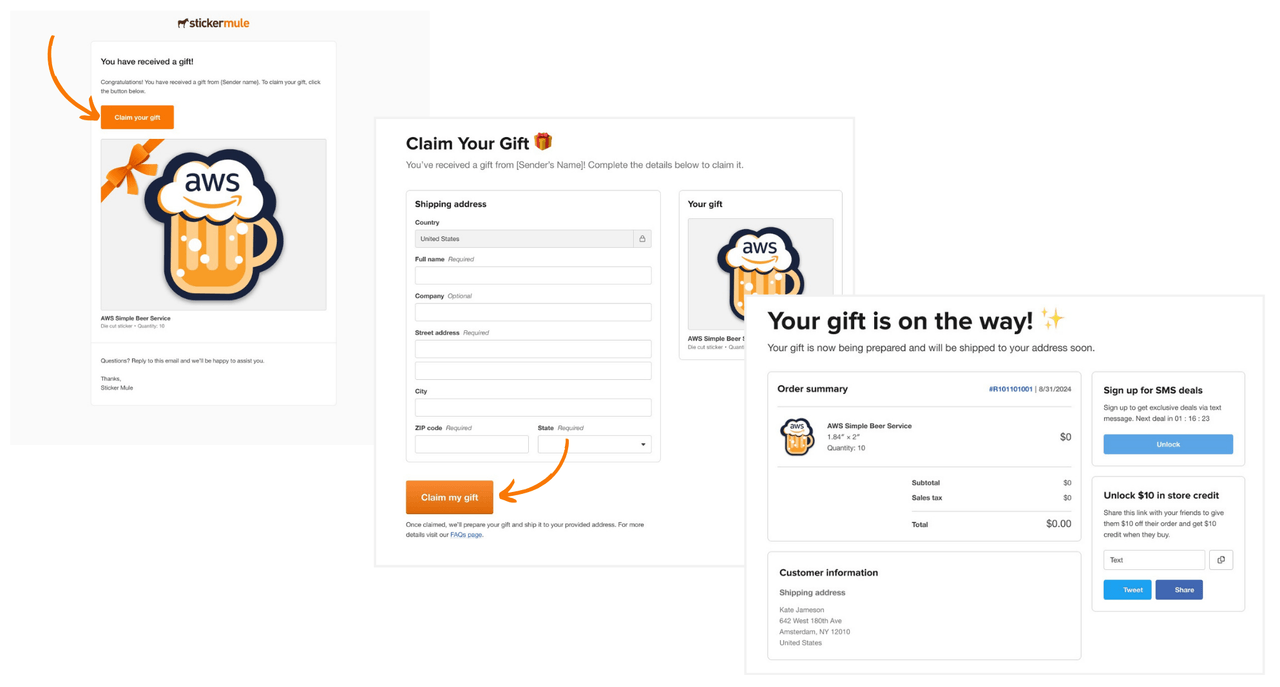
गिफ्ट क्लेम करने के लिए:
ईमेल या SMS नोटिफिकेशन से अपना गिफ्ट क्लेम करें चुनें।
अपना शिपिंग पता दर्ज करें। टी-शर्ट के लिए, आप साइज़ भी चुनेंगे।
मेरा गिफ्ट क्लेम करें चुनें। क्लेम होने के बाद हम आपका गिफ्ट बनाना शुरू कर देंगे।
कमैंट्स